




Chrome early stable vs stable is a question about release context, not just the largest number in the About window. On 17–18 November 2026, Google announced Stable 158, an Early Stable rollout of 159, and Beta 159 for desktop. A useful bug report must identify which installation actually ran your test.
Our source ledger separates those three notices. Our companion matrix defines six proposed checks across three environments and two journeys. All six checks are marked not run. This is a reproducible test plan and release comparison, not a browser compatibility benchmark or a claim about US market share.
Chrome early stable vs stable: what changed?
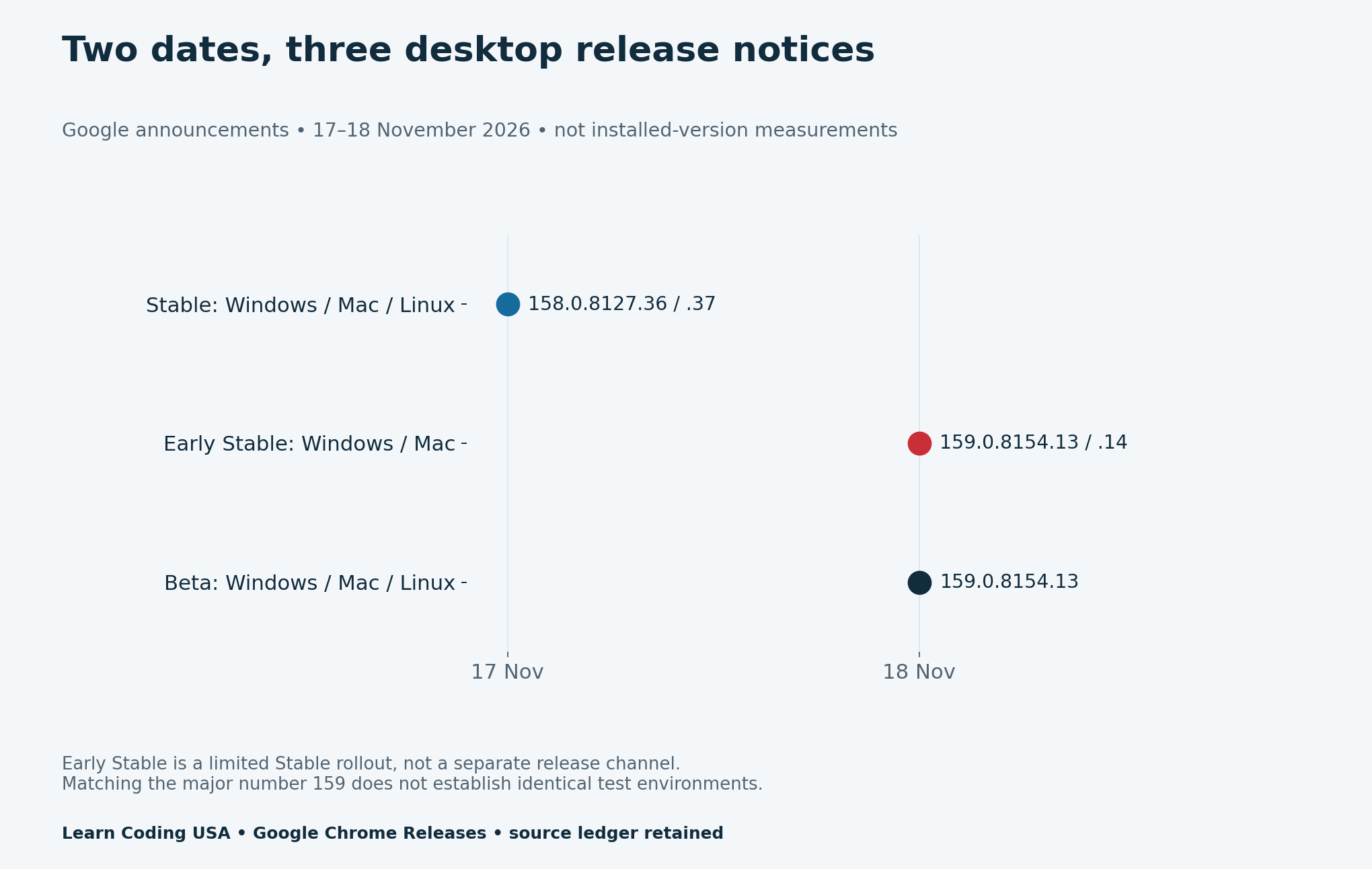
Google’s 17 November desktop Stable notice lists 158.0.8127.36 for Linux and 158.0.8127.36/.37 for Windows and Mac. It describes a rollout over coming days or weeks. The notice does not establish which patch every reader has installed.
The following day, Google’s Early Stable desktop notice lists 159.0.8154.13/.14 for a small percentage of Windows and Mac users. Its Beta notice lists 159.0.8154.13 for Windows, Mac and Linux. These are published release facts. They are not observations from three machines in our lab.
| Notice date | Release context | Build string as announced | Platforms listed |
|---|---|---|---|
| 2026-11-17 | Stable | 158.0.8127.36 Linux; 158.0.8127.36/.37 Windows/Mac | Windows, Mac, Linux |
| 2026-11-18 | Early Stable | 159.0.8154.13/.14 | Windows, Mac |
| 2026-11-18 | Beta | 159.0.8154.13 | Windows, Mac, Linux |
Early Stable is part of Stable
An important distinction comes from Google’s Early Stable explanation: a limited group receives a Stable release before broader availability. Early Stable is not an extra channel alongside Canary, Dev, Beta and Stable. Therefore, record both the channel and the rollout context when you know it.
The older explanation is useful for that mechanism. However, its original calendar is not our November 2026 schedule. For dates and build strings, use the current notices above. Do not infer a future rollout deadline from a historical example.
Capture the installed environment before testing
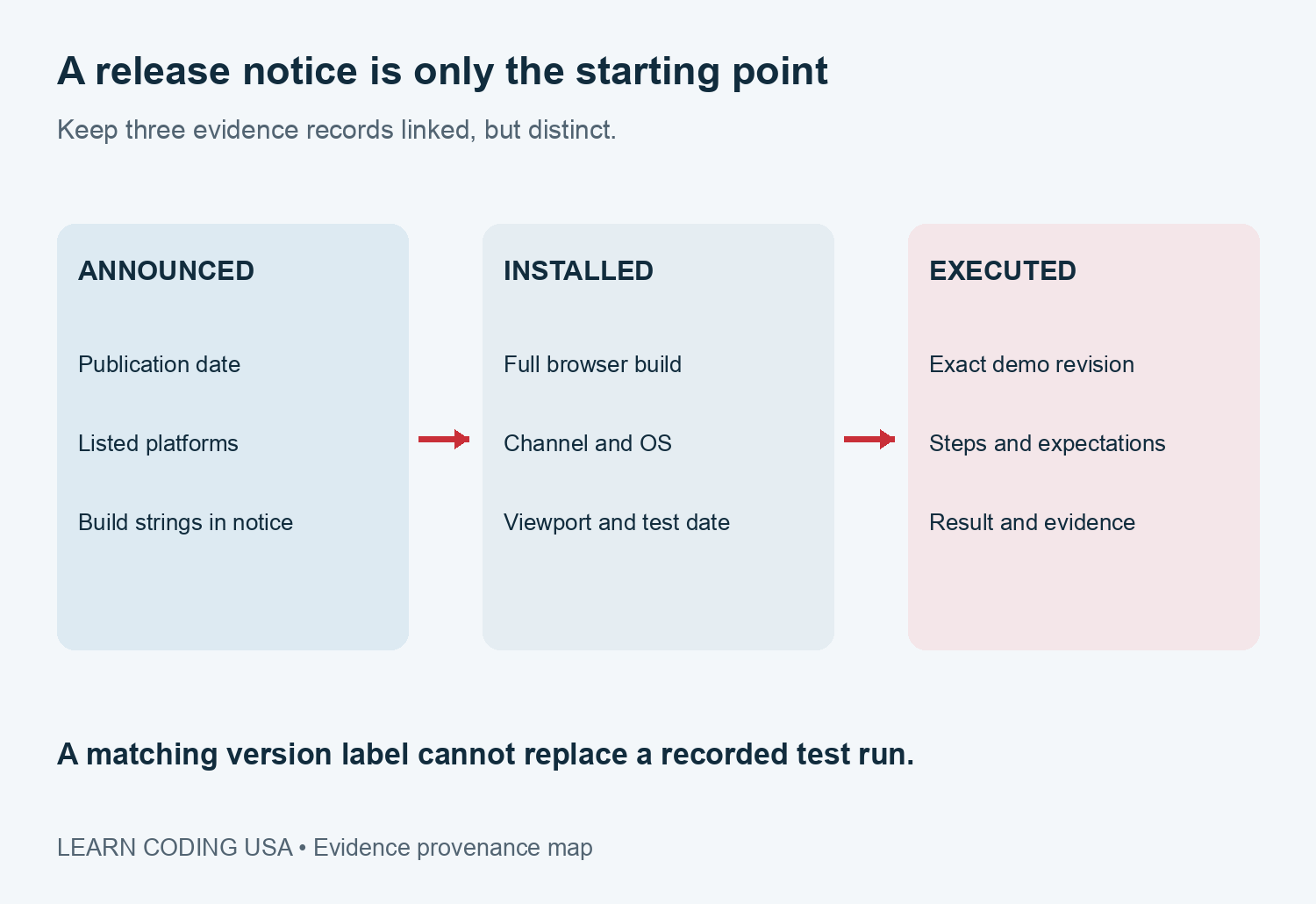
First, record the full four-part build from the browser’s own version information. Then record the channel, operating-system version, viewport, date and timezone. Keep the exact application revision or fixture hash beside them. “Latest Chrome” becomes stale as soon as an update arrives.
Chromium’s version-number guide explains the major, minor, build and patch fields. A milestone such as 159 is a coarse label. Two reports that share it can still describe different patches, platforms or configurations.
Next, note relevant extensions, profile differences and deliberately changed feature settings without copying credentials or private profile contents. Google’s channel guide also describes variations and components. Build information is necessary evidence, but it does not capture every setting that can affect behaviour.
Use the same demo for six planned checks
Our downloadable fixture is a fictional workshop form. It accepts one to four seats, reports an invalid amount and allows correction. It submits nothing to a server and contains no real customer records. The source pack includes its exact file hash and plain-language steps.
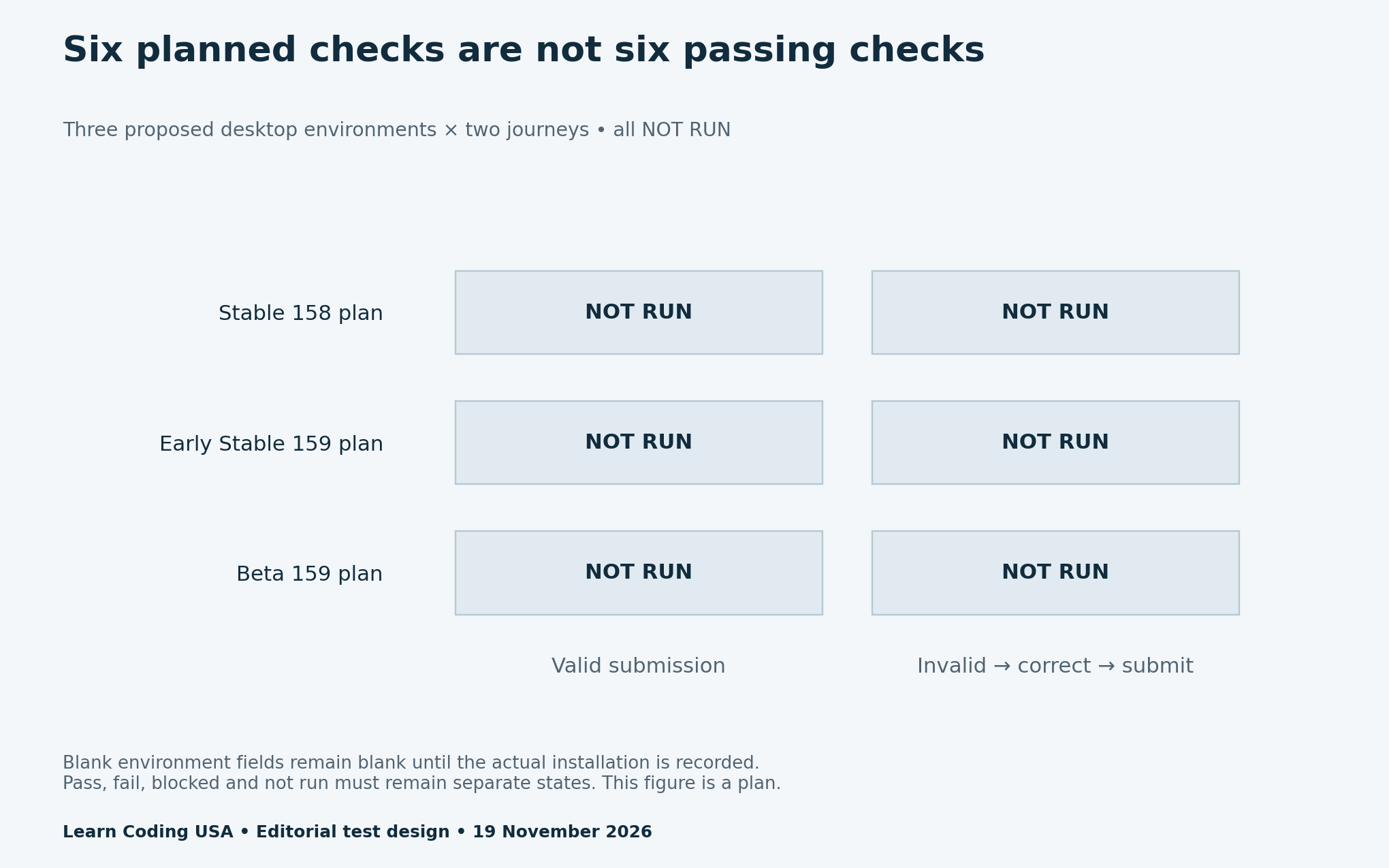
Journey A enters two seats and expects “Reserved 2 seats.” Journey B enters zero, checks the validation message, then changes the value to one and expects “Reserved 1 seat.” Repeat both journeys in each intended environment using the same fixture revision. This creates three environments times two journeys, or six planned cells.
The supplied environments are planning labels: Stable 158, Early Stable 159 and Beta 159. Their installed-build, OS, viewport and execution fields stay blank until a tester captures them. A release notice does not fill those fields automatically. We have not installed or executed that three-environment matrix for this report.
Keep failed, blocked and untested separate
A pass means the declared journey ran and met its expectation. A failure means it ran and the observed behaviour differed. A blocked check could not reach its assertion because a prerequisite failed. Not run means no execution has been recorded. Missing evidence is never a pass.
For example, lack of access to an Early Stable installation should leave that environment untested or blocked with an explanation. It should not become a browser defect. Similarly, a missing local server belongs in the test setup notes; it does not show that the form is incompatible.
If you want a coverage percentage, declare the denominator first. For this supplied plan, zero of six cells have recorded execution. That is a status of the planning file, not a measurement of Chrome reliability. Replacing a blank with a result requires the actual environment and evidence.
Tech Consulting Tailored to Your Coding Journey
Get expert guidance in coding with a personalized consultation. Receive unique, actionable insights delivered in 1-3 business days.
Get StartedWrite a bug report someone else can reproduce
Start with a short symptom and the expected outcome. Add numbered steps, full build, channel, OS, viewport and fixture revision. Attach the relevant screenshot or console message after checking it for personal data. Say whether the problem reproduces with the same inputs in another recorded environment.
When a browser updates, create a new run record rather than silently overwriting the old result. Otherwise, a teammate can follow the same steps and still be testing different software. The blank bug-report ledger gives each report a place for the version, expected answer, actual answer and evidence path.
Download the release ledger and reusable test kit
- Three desktop release notices and primary-source links (CSV)
- Eight notice–platform rows, not usage observations (CSV)
- Six-cell test plan with every result marked not run (CSV)
- Blank browser bug-report ledger (CSV)
- Local fictional form, exact file hash and test instructions (ZIP)
Method, limits and further practice
We transcribed three official desktop notices published on 17–18 November and accessed them on 19 November 2026. Splitting their platform lists creates eight notice–platform rows: three for Stable, two for Early Stable and three for Beta. Repeated platforms across notices are intentional. These rows count announcement coverage, not distinct users, builds installed or tests passed.
We retained patch ranges exactly as published. We did not expand them into a claim that every patch was served to every listed platform. The six-cell matrix and blank report ledger are editorial tools. No simulated outcome has been presented as an observed browser result, and no statistical inference or universal compatibility conclusion follows from this plan.
For more practice, compare our AI browser-testing benchmark guide and Web Development resources. For US coding classes and small teams, the immediate improvement is simple: make the environment and evidence travel with the report.


