




For GitHub Desktop multiple accounts, commit author and repository destination are separate checks. The account assigned to a repository controls Desktop’s GitHub access and HTTPS authentication. It does not automatically choose the name and email recorded in a commit. Before contributing, confirm all three identities.
We created four local commits across two disposable repositories to show that separation. Each repository kept its inert remote while its author changed. We did not sign in to Desktop, push anything or test hosting permissions. A separate four-case scenario matrix labels every account assignment as fictional and unverified.
What GitHub Desktop 3.7.0 changes
The 19 November announcement adds multiple accounts on the same host in Desktop 3.7.0. Repository operations can use an assigned account, and existing repositories migrate to the account previously used for that host. The change helps people who contribute through school, work and personal identities.
The multiple-account guide explains that a repository has one assigned account on its host. Desktop uses it for GitHub API requests and Git HTTPS authentication. An account choice is therefore meaningful, but its scope is narrower than “everything about this commit is correct.”
Treat an inherited assignment as something to review for the current project. Adding another account does not establish that every older repository now uses your preferred identity. In the repository settings, compare the displayed host and account with the identity you intended to use. Do this before a network operation.
GitHub Desktop multiple accounts: commit author is separate
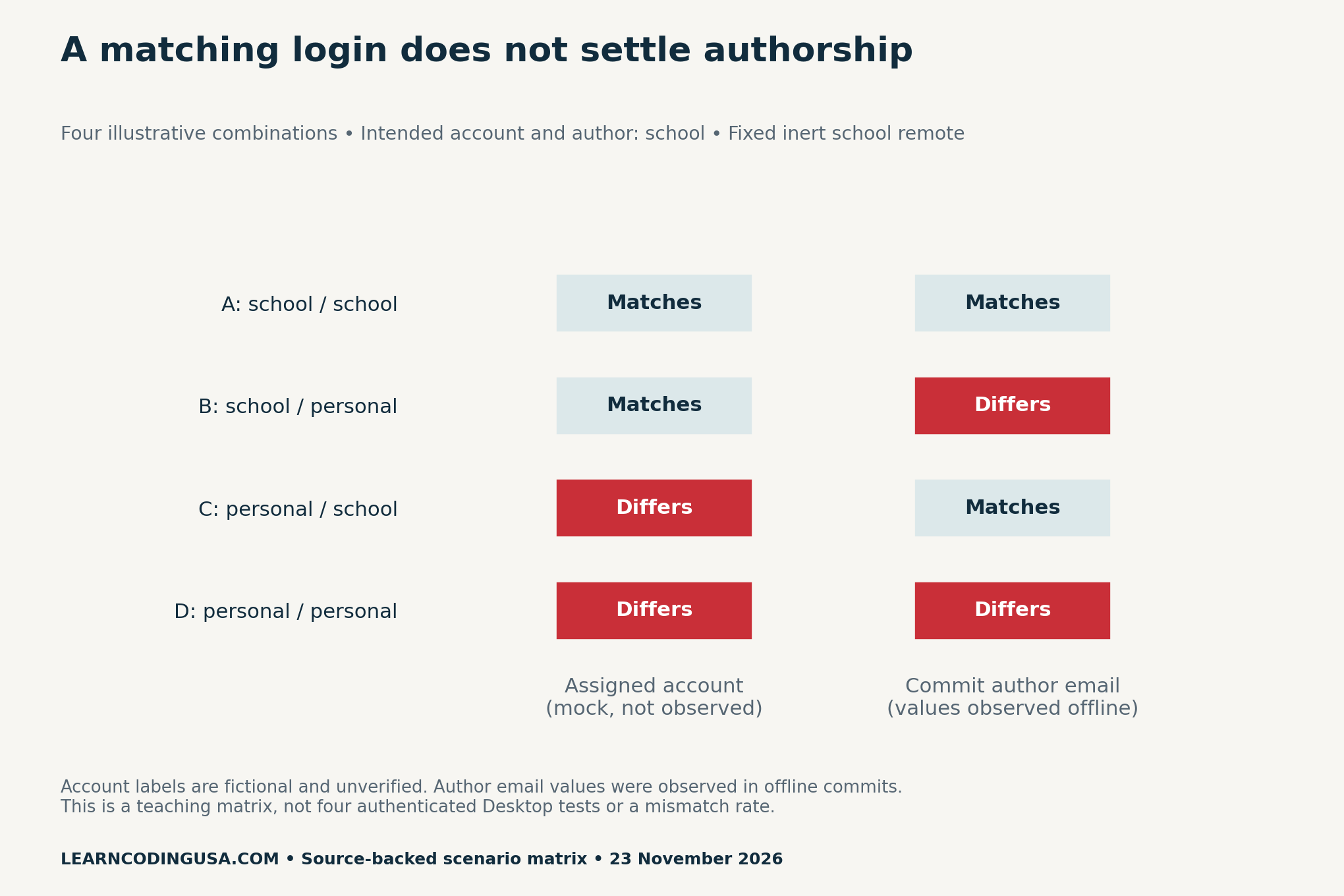
| Case | Assigned account: mock | Author email value | Question to resolve |
|---|---|---|---|
| A | school-demo | school@example.invalid | Both labels match stated intent; access remains untested |
| B | school-demo | personal@example.invalid | Author differs despite matching account label |
| C | personal-demo | school@example.invalid | Account differs despite matching author |
| D | personal-demo | personal@example.invalid | Review both fields |
Case B is the easy mistake to overlook. A plausible account selection can sit beside an unintended author email. Case C shows the reverse: the name and email can look right while the account used for the operation still needs review. Neither field proves that a repository is the correct destination.
The matrix is a teaching tool, not a rate estimate. It does not say that half of real developers have an author mismatch. We selected the four combinations deliberately. No school, employer, student or real GitHub identity appears in the fixture.
What our offline exercise actually observed
Our runner created school and personal repositories in a temporary folder. It gave each an example.invalid origin, set local fictional author details and made two harmless text commits. The school remote stayed the same when its author changed from School Learner to Personal Learner. The personal remote also stayed unchanged across its two commits.
We read each remote with git remote get-url origin and each author from git log. Four commits therefore supplied four local metadata observations. Git reported version 2.54.0, Apple Git-157. This is a description of the fixture runner, not a recommendation about a current security patch or evidence of the Git version bundled with Desktop.
# Read-only checks inside the repository you intend to inspect
git remote get-url origin
git config --get user.name
git config --get user.email
git log -1 --format="%an <%ae>"
The configured author describes a future commit made with that configuration. The log command reads an existing commit. Keep both checks because changing the configuration does not change the author already stored in older history. A matching result still does not prove a verified signature or hosting permission.
Use a local override when the project needs one
GitHub’s Git configuration guide supports author settings for an individual repository as well as global defaults. For a project with a different identity, inspect that repository’s settings instead of changing every project’s default as a shortcut. Public commit metadata can expose the selected email address.
The commit-email guide distinguishes future commits from existing metadata. Record the identity you intend to use and verify the next commit separately. Do not rewrite a shared history merely to complete this checklist; a history repair is a different decision with its own review and collaborators.
A pre-push card with three evidence fields
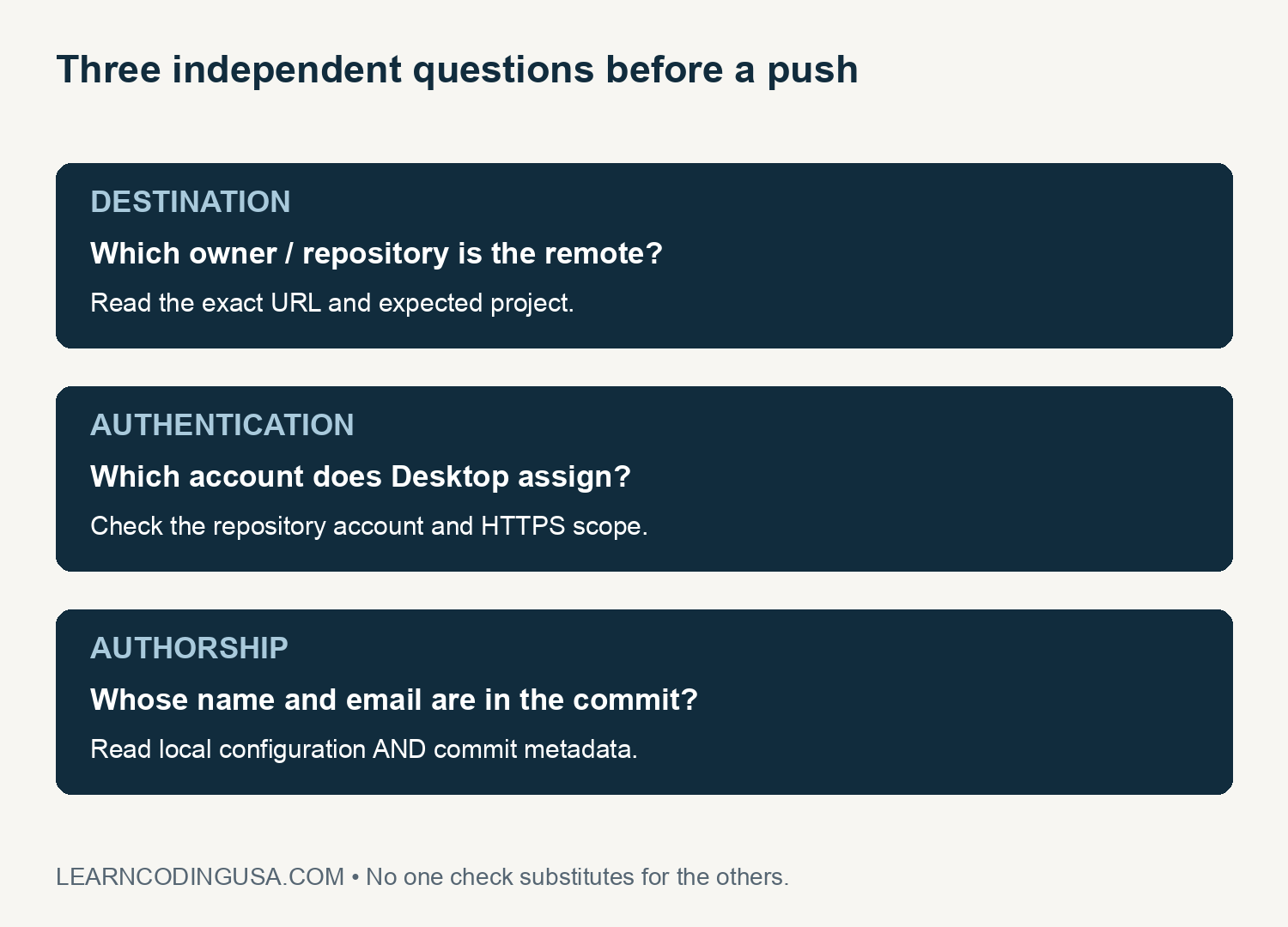
First, compare the full owner and repository path with the intended project. Then inspect the assigned account in Desktop’s repository settings and identify whether the operation uses HTTPS. Finally, compare the configured author with the existing commit you plan to send. Keep an unresolved field unresolved until you have evidence.
For an introductory walkthrough, see our first GitHub repository guide. For executable identity, use the separate Git installation inventory. Neither exercise substitutes for this account, destination and author review.
Reproduce the fixture and keep its limits
The source pack contains a Python standard-library runner and its recorded JSON results. It isolates system and global Git configuration, disables hooks for the disposable commands and never performs a network operation. Its fictional email addresses and remotes use example.invalid. It removes its own temporary repositories after reading the results.
Tech Consulting Tailored to Your Coding Journey
Get expert guidance in coding with a personalized consultation. Receive unique, actionable insights delivered in 1-3 business days.
Get StartedNo authenticated Desktop behavior was measured. The exercise does not cover SSH, another Git client, branch protection, account permissions or signatures. These limits make the card useful: it asks for the evidence needed before a push without pretending that a local name or remote URL proves access.
- Four observed offline commits (CSV)
- Fictional account–author scenario matrix (CSV)
- Blank destination, account and author card (CSV)
- Primary-source and claim register (CSV)
- Offline fixture runner and recorded results (ZIP)
Suggested citation: Learn Coding USA, “GitHub Desktop Two Accounts: Check Repo, Login and Author”, 23 November 2026. Identify the account column as fictional when reusing the scenario matrix.


