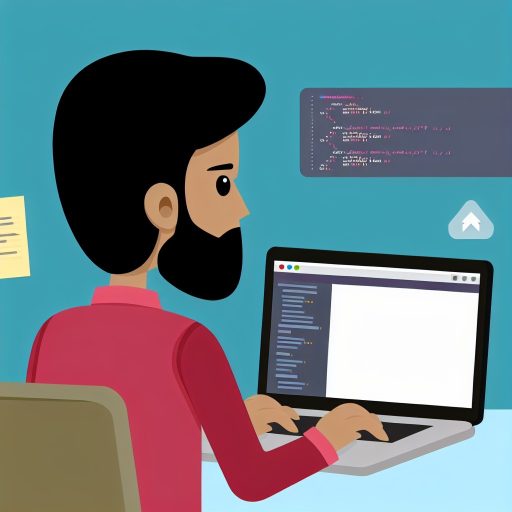
Introduction to Online Code Editors
Rising Popularity Among Beginners
Online code editors have changed how beginners approach programming.
They offer an accessible platform without complex software installations.
Learners can start coding immediately from any device with internet access.
These editors simplify the learning curve by providing real-time feedback and error detection.
For example, platforms like CodeSandbox and Replit allow instant code execution and sharing.
Many beginners prefer these tools because they reduce setup time and technical barriers.
Educators also embrace online editors to improve remote and interactive teaching.
As a result, beginners stay motivated through easy experimentation and collaboration features.
With ongoing improvements, these editors continue gaining traction in coding communities worldwide.
Ease of Access with No Installation Required
Instant Availability of Online Code Editors
Online code editors allow beginners to start coding immediately.
They eliminate the need to download or install any software.
Therefore, learners can focus on writing code without technical delays.
For example, platforms like CodeSandbox and Replit provide instant coding environments.
This instant access boosts motivation and reduces barriers to learning.
Compatibility Across Different Devices and Operating Systems
These editors work on all major operating systems, including Windows, macOS, and Linux.
Tech Consulting Tailored to Your Coding Journey
Get expert guidance in coding with a personalized consultation. Receive unique, actionable insights delivered in 1-3 business days.
Get StartedMoreover, they are accessible via browsers on smartphones and tablets.
This flexibility allows learners like Clara Hernandez to practice coding anytime, anywhere.
As a result, users avoid compatibility issues that often arise from traditional IDE installations.
No Setup or Configuration Hassles
Users do not need to handle complex setup or environment configuration.
Online editors come pre-configured, saving time and frustration for new coders.
Consequently, beginners can dive straight into writing and testing their code.
This simplicity encourages continuous learning without technical interruptions.
Cost-Effective and Maintenance-Free Solutions
Most online code editors offer free tiers with ample features for beginners.
Additionally, there is no need to manage software updates or patches.
Therefore, learners like Jonathan Lee save both money and effort during their coding journey.
Such cost-effectiveness makes programming accessible to a wider audience globally.
Real-time Code Execution and Instant Feedback
Immediate Results Enhance Learning
Online code editors execute code instantly.
They show results without delay.
This immediate execution helps beginners quickly understand their code effects.
Build Your Vision, Perfectly Tailored
Get a custom-built website or application that matches your vision and needs. Stand out from the crowd with a solution designed just for you—professional, scalable, and seamless.
Get StartedIt also reduces frustration caused by waiting for program output.
Therefore, learners stay motivated and engaged throughout the process.
Instant Feedback Supports Error Correction
Many editors highlight syntax errors as users type code.
This feature enables quick spotting of mistakes before running programs.
Consequently, beginners learn correct coding practices more effectively.
Also, some platforms offer detailed error explanations and suggestions.
These insights guide learners in refining their code and deepening comprehension.
Interactive Learning Encourages Experimentation
Real-time execution invites users like Marcelo Tavares, a novice programmer, to test ideas immediately.
He can modify code snippets and observe different outputs in seconds.
This interaction fosters a hands-on learning experience preferred by many beginners.
Consequently, students develop problem-solving skills through trial and error.
Practical Benefits for Instructors and Learners
Instructors such as Daniel Lopez appreciate instant feedback in virtual classrooms.
It enables them to identify and address common coding errors efficiently.
Students benefit from receiving on-the-spot comments, which accelerates their learning curve.
Optimize Your Profile, Get Noticed
Make your resume and LinkedIn stand out to employers with a profile that highlights your technical skills and project experience. Elevate your career with a polished and professional presence.
Get NoticedIn addition, real-time tools support collaborative coding exercises among peers.
Key Features That Improve Real-time Code Experiences
- Syntax highlighting for clear code structure visualization
- Automatic error detection with suggestions for fixes
- Live output consoles showing program results immediately
- Support for multiple programming languages catering to diverse learners
These features collectively empower beginners to master coding faster and with confidence.
You Might Also Like: The Role of Documentation Websites in Learning Programming Languages
User-friendly Interfaces Designed for Novice Programmers
Simplified Layouts Enhance Focus
Online code editors use clean and intuitive layouts to reduce distractions.
This simplicity helps beginners concentrate on learning programming concepts.
Moreover, they often feature minimal menus and clear navigation paths.
Consequently, novice learners feel less overwhelmed compared to complex traditional IDEs.
Guided Features Support Learning
Many online editors include helpful tooltips and inline suggestions.
These features assist learners in understanding syntax and commands quickly.
In addition, real-time error highlighting allows immediate correction of mistakes.
Therefore, beginners can learn more efficiently and build confidence steadily.
Accessible Design Across Devices
They often support multiple platforms, including tablets and smartphones.
This accessibility enables learners to practice coding anytime, anywhere.
Additionally, responsive design automatically adjusts interfaces for different screens.
As a result, beginners enjoy a consistent and comfortable learning experience.
Personalized Environments for Diverse Needs
Online editors frequently offer customizable themes and font sizes.
This flexibility caters to individual preferences and visual comfort.
Furthermore, some platforms provide beginner-friendly templates to start projects quickly.
Thus, learners can tailor their environment to match their unique learning styles.
Collaborative Tools Encourage Interaction
Many editors include features for sharing code and teamwork.
These capabilities promote peer learning and immediate feedback exchanges.
Besides, real-time collaboration options foster communication among beginners.
Hence, learners benefit from a supportive programming community environment.
Learn More: The Importance of Code Challenges in Staying Sharp as a Developer
Built-in Tutorials and Learning Resources Integrated Within Editors
Accessible Tutorials for Immediate Practice
Online code editors often include built-in tutorials to guide beginners step-by-step.
These tutorials allow learners to start coding without switching platforms.
Consequently, users can apply new concepts instantly within the same interface.
Moreover, tutorials adapt to different programming languages and skill levels.
For example, CodeForge provides interactive Python lessons embedded directly in the editor.
Interactive Examples to Reinforce Learning
Interactive code snippets within editors engage users more effectively.
Users can modify examples and see real-time results instantly.
Therefore, these dynamic exercises deepen understanding beyond passive reading.
Platforms like BrightCode embed live coding challenges alongside explanations.
Such features provide immediate feedback, which accelerates skill development.
Integrated Documentation and Reference Materials
Most online editors offer quick access to official language documentation.
This feature eliminates the need to search externally, saving valuable time.
For instance, DevStream includes tooltips and inline API references during coding.
Additionally, comprehensive cheat sheets and tips boost confidence for newcomers.
As a result, learners can clarify doubts without leaving their workspace.
Community-driven Learning Support
Many editors integrate forums and community Q&A sections.
BuddiesCode, for example, embeds a chat where users discuss coding problems together.
This real-time support fosters collaboration and faster problem-solving.
Furthermore, sharing code snippets promotes peer learning and feedback.
Access to a community enhances motivation and sustains beginner engagement.
Gamification Elements to Motivate Progress
Some code editors add gamified learning elements like badges and progress tracking.
LearnCraft rewards users after completing built-in coding tutorials.
This approach encourages regular practice and a sense of achievement.
Moreover, friendly competitions with peers stimulate continuous improvement.
Consequently, beginners stay motivated while steadily advancing their skills.
Learn More: How Code Review Tools Help You Improve as a Programmer
Collaboration Features That Facilitate Peer Learning and Mentorship
Real-Time Interaction and Communication
Online code editors enable students to collaborate instantly on coding projects.
They offer chat and video call options to enhance real-time communication.
Through direct interaction, learners exchange ideas and clarify doubts efficiently.
Moreover, mentors can provide immediate feedback while observing code changes live.
This interactive environment builds confidence and deepens coding understanding.
Shared Workspaces and Code Reviews
Collaborative editors provide shared workspaces accessible by multiple users.
These spaces encourage joint problem-solving and collective debugging.
Mentors, like Sarah Collins from CodeWorks Institute, often use this to guide beginners.
Peer learners can review each other’s code to spot errors and suggest improvements.
Consequently, this fosters a culture of constructive critique and learning.
Version Control Integration
Most online editors incorporate version control features such as Git integration.
This enables learners to track their changes and collaborate without conflict.
Developers, including Michael Trent at DevHub Solutions, emphasize version control for teamwork skills.
Additionally, it helps mentors trace coding progress and offer targeted advice.
The ability to revert to earlier versions reduces learners’ fear of making mistakes.
Collaborative Learning Communities
Many platforms host communities where users share projects and resources.
These groups, such as the OpenCode Hub run by Nikhil Shah, connect novices and experts.
Learners benefit from peer mentorship, motivation, and diverse perspectives.
Community challenges and hackathons encourage collaborative coding practice.
Therefore, such communities create supportive networks that enhance skill development.
Advantages of Mentorship Features
Mentorship tools like inline commenting allow direct and contextual guidance.
Experienced programmers can highlight specific code lines for improvement.
Similarly, screen sharing in editors helps mentor and learner troubleshoot together.
Mentorship fosters personalized learning and accelerates problem-solving abilities.
Ultimately, these features make coding less intimidating for beginners.
Learn More: Top Free Resources for Learning to Code: From Tutorials to Communities

Support for Multiple Programming Languages in One Platform
Expanding Accessibility for Beginners
Online code editors offer support for many programming languages on a single platform.
This variety allows beginners to explore different languages without switching tools.
Consequently, learners can experiment freely and find the language that suits them best.
For instance, Emma Chen, a novice coder, easily switches between Python and JavaScript on her preferred editor.
Therefore, these platforms significantly lower the barrier to entry for programming.
Simplifying the Learning Process
With multiple languages supported, beginners avoid the hassle of installing complex software.
They can immediately start coding in languages like Ruby, C++, or HTML.
Moreover, on-the-fly syntax highlighting helps users recognize language structures quickly.
Additionally, real-time error detection guides learners to correct mistakes instantly.
These combined features enhance comprehension and build confidence for new programmers.
Encouraging Versatility and Skill Growth
Access to various languages fosters a versatile programming skill set.
Students like Javier Morales benefit by switching from front-end to back-end coding smoothly.
Also, educators appreciate that they can teach multiple languages using a single solution.
Furthermore, firms such as NexaCode Training utilize these platforms for diverse training sessions.
Thus, online editors promote continuous learning and adaptability among beginners.
Automatic Error Detection and Helpful Debugging Tools
Enhancing Code Accuracy Through Real-Time Feedback
Online code editors detect errors automatically while you type.
This instant feedback helps beginners spot mistakes quickly.
For example, CodeStream.io highlights syntax errors in red immediately.
Consequently, users avoid spending hours searching for simple errors.
This feature builds learners’ confidence by providing timely corrections.
Interactive Debugging Tools That Guide Learners
Many editors include debugging consoles to test and fix code.
Interactive tools let users set breakpoints and step through code blocks.
For instance, DevSpark’s editor displays variable values while running code.
Therefore, beginners understand program flow and identify problematic logic.
Debugging tools foster critical thinking and problem-solving skills simultaneously.
Additional Features That Support Learning
Some platforms suggest code improvements based on common programming standards.
Linting tools highlight potential issues beyond syntax errors.
Meanwhile, auto-completion accelerates coding by predicting commands and functions.
Together, these features reduce frustration and keep learners motivated.
Moreover, providing detailed error explanations equips users with deeper knowledge.
Collaboration and Peer Assistance Integration
Several online editors support live collaboration with instructors or peers.
This enables instant sharing of error fixes and debugging strategies.
For example, StudioLambda’s editor offers chat and screen-sharing capabilities.
Hence, learners receive personalized support during their coding journey.
Collaborative debugging fosters a community approach to overcoming challenges.
Cross-platform Compatibility Enabling Learning on Any Device
Accessibility Across Different Devices
Online code editors work seamlessly on desktops.
They also run well on laptops, tablets, and smartphones.
Learners can practice coding anytime without hardware restrictions.
This accessibility removes barriers that limit learning opportunities.
Students like Emily from Seattle continue coding on her tablet during commutes.
Operating System Flexibility
These editors run smoothly on Windows, macOS, and Linux.
Users avoid installation hassles for complex, OS-specific software.
Carlos, a student using Fedora Linux, codes alongside classmates on Windows laptops.
This inclusive environment encourages collaboration and shared learning.
Consistent User Interface and Experience
Online editors maintain a consistent interface on all devices and platforms.
Learners quickly adapt without relearning controls or settings.
This consistency boosts confidence and reduces frustration during practice.
Educators like Dr. Laila Chen provide uniform instructions to all students.
Offline and Low-bandwidth Support
Some platforms offer offline mode or optimized slow internet performance.
Users in remote areas access coding tools without constant high-speed internet.
For example, Aditya learns programming from his rural village using an offline-enabled editor.
This feature ensures equitable learning despite network conditions.
Benefits for Beginners
- Immediate access to tools eases the start of coding journeys.
- Flexibility encourages consistent practice and skill development.
- Cross-device syncing helps track progress wherever learners go.
- Collaborative features connect beginners to communities and mentors globally.
Encouragement of Experimentation and Hands-On Practice
Fostering a Safe Space for Trial and Error
Online code editors provide an environment where beginners feel safe to experiment.
These platforms allow learners to try different coding approaches without fear.
Instant feedback helps users to understand mistakes quickly and clearly.
This immediate response motivates learners to keep testing new ideas confidently.
Enhancing Learning Through Interactive Practice
Hands-on coding accelerates skill development more effectively than passive reading.
Online editors enable users like Mia Henderson and Lucas Chen to write and run code instantly.
Consequently, learners gain practical experience that strengthens their understanding.
Interactive features such as real-time error highlighting guide beginners efficiently.
Building Confidence With Incremental Challenges
These platforms encourage tackling small projects in manageable steps.
Users such as Eliana Vargas find gradual progression less overwhelming and more rewarding.
Therefore, learners build confidence as they solve problems one at a time.
Collaborative tools allow sharing of experiments, promoting community support.
Benefits for Educators and Coding Communities
Instructors like Daniel Marlow easily assign coding tasks through online editors.
This accessibility encourages students to apply concepts immediately in practice.
Code sharing enables peer review and constructive feedback among classmates.
Thus, learning becomes dynamic and enriched by active participation and experimentation.
Additional Resources
Complete Beginner, Never touched C#, Where do i begin? : r/csharp
Why you should learn to code, not fear AI. | Andrew Ng posted on …