




pnpm 12 Dependabot security alerts deserve a separate check from a successful dependency-update pull request. An installer can finish and tests can pass while another system fails to read the dependency inventory. Treat those as different questions when reviewing a package-manager upgrade.
Checked October 25, 2026. GitHub’s October 20 announcement still documents a two-document lockfile limitation. Separately, pnpm’s October 21 release reports useful performance improvements. This report combines those dated references with transparent arithmetic and a reusable coverage worksheet. No scanner comparison or independent benchmark was executed.
For US JavaScript students, project teams and junior developers, this is an upgrade-acceptance exercise. The aim is to collect evidence about the project you control. A quiet alerts screen alone cannot tell you whether your dependencies are visible, unaffected or simply outside the current coverage.
Why pnpm 12 Dependabot security alerts need their own check
The GitHub support announcement adds npm 12, pnpm 11 and 12, and Bun 1.4. However, its caveat concerns a specific file structure: pnpm 12 projects that pin pnpm can use two YAML documents in pnpm-lock.yaml. GitHub says its dependency graph does not yet detect the dependencies in that file.
In that documented case, version updates can continue while alerts and security updates are absent for those dependencies. Existing alerts may also close. This describes a parsing and coverage limitation; it does not establish that every pnpm repository is vulnerable or that every closed alert is wrong. Recheck the dated notice before making a current decision.
Version updates, alerts and tests answer different questions
GitHub’s version-update documentation distinguishes routine release updates from security-update pull requests. A newer package release can trigger a version update even without a known vulnerability. Therefore, seeing that pull request is not evidence that every security-detection path works.
The alerts documentation describes checks against the dependency graph and reviewed advisory information. It also lists broader limits: advisories can take time to appear, and alerts do not catch every security issue. Treat a coverage review as evidence of what was checked, not a guarantee of a secure application.
| Evidence | Question it helps answer |
|---|---|
| Successful install and tests | Does the project behave as expected under those checks? |
| Visible dependency inventory | Can the scanner identify the relevant package-version pairs? |
| Security reporting review | Does the relevant reporting path cover the dependencies being assessed? |
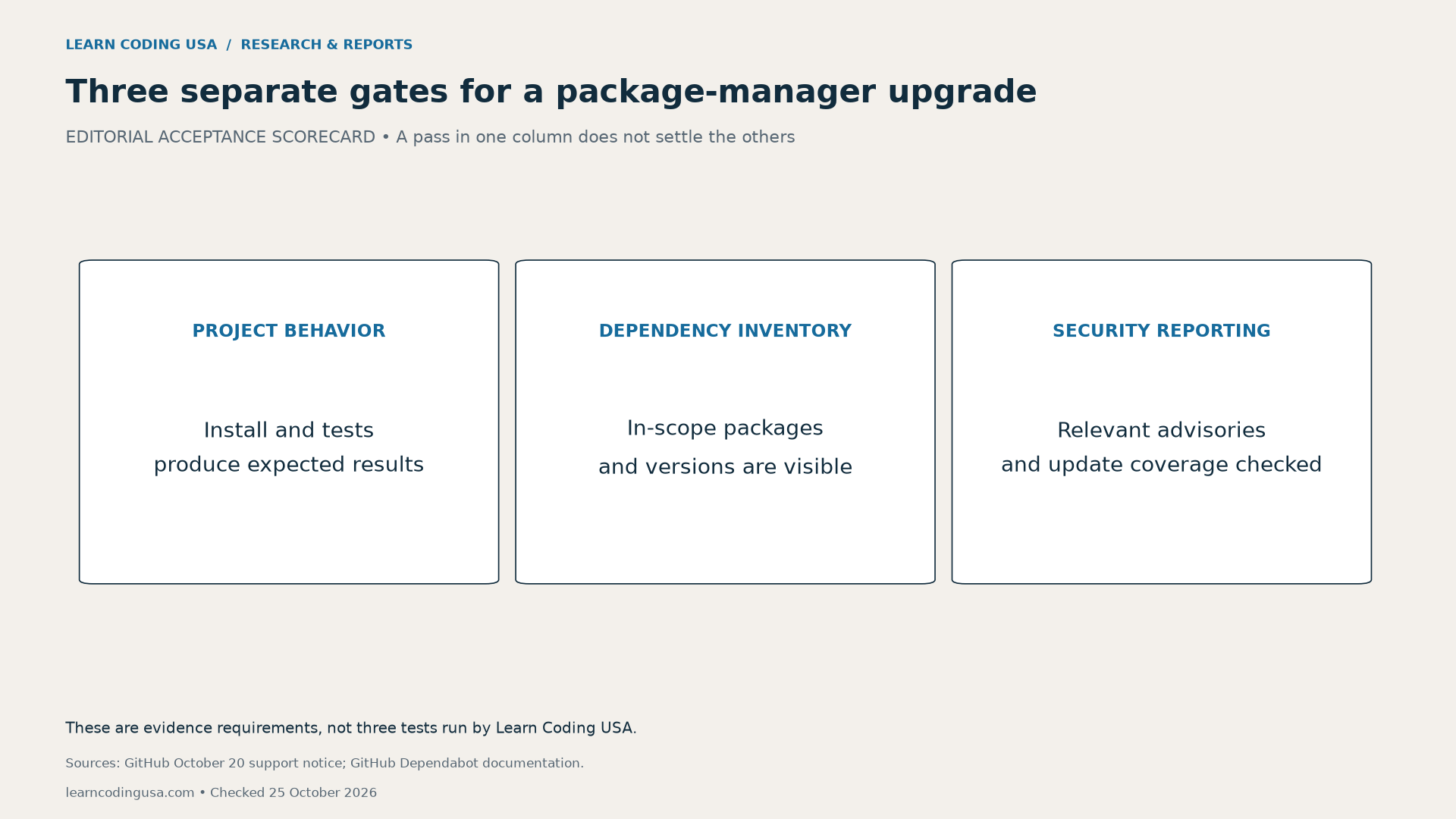
Keep an owner and a dated result for each gate. If the application works but the graph is incomplete, write that exact outcome. Do not replace it with a single green “upgrade complete” status. Likewise, a visible inventory does not establish that every possible vulnerability has an advisory.
What the pnpm 12.15 speed result actually measures
The pnpm 12.15 release notes report a warm-store installation of 1,352 packages on a 12-core Mac: 2.2 seconds before and 1.3 seconds after. We transcribed those displayed times; we did not reproduce the workload. Cold downloads, another machine and a different project can produce different results.
| Published measure | Before | After |
|---|---|---|
| Warm-store install, seconds | 2.2 | 1.3 |
| Separate workspace peak memory, GB as reported | 2.6–3.7 | 1.8–2.0 |
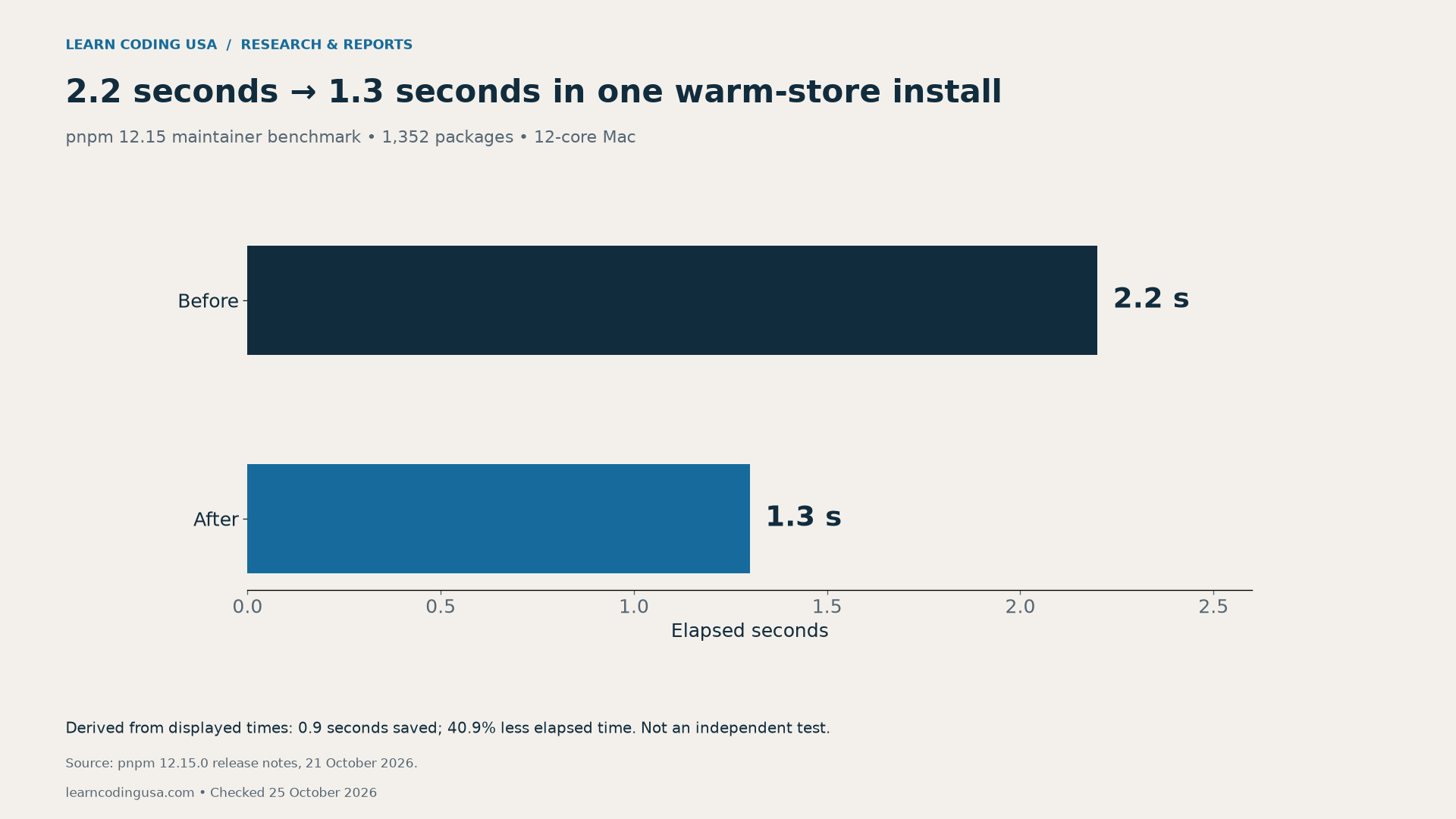
Our calculation is explicit: 2.2 minus 1.3 equals 0.9 seconds. Dividing 0.9 by the original 2.2 gives 40.9% less elapsed time, rounded to one decimal. That percentage uses the earlier time as its denominator. It is not a claim about application runtime or security.
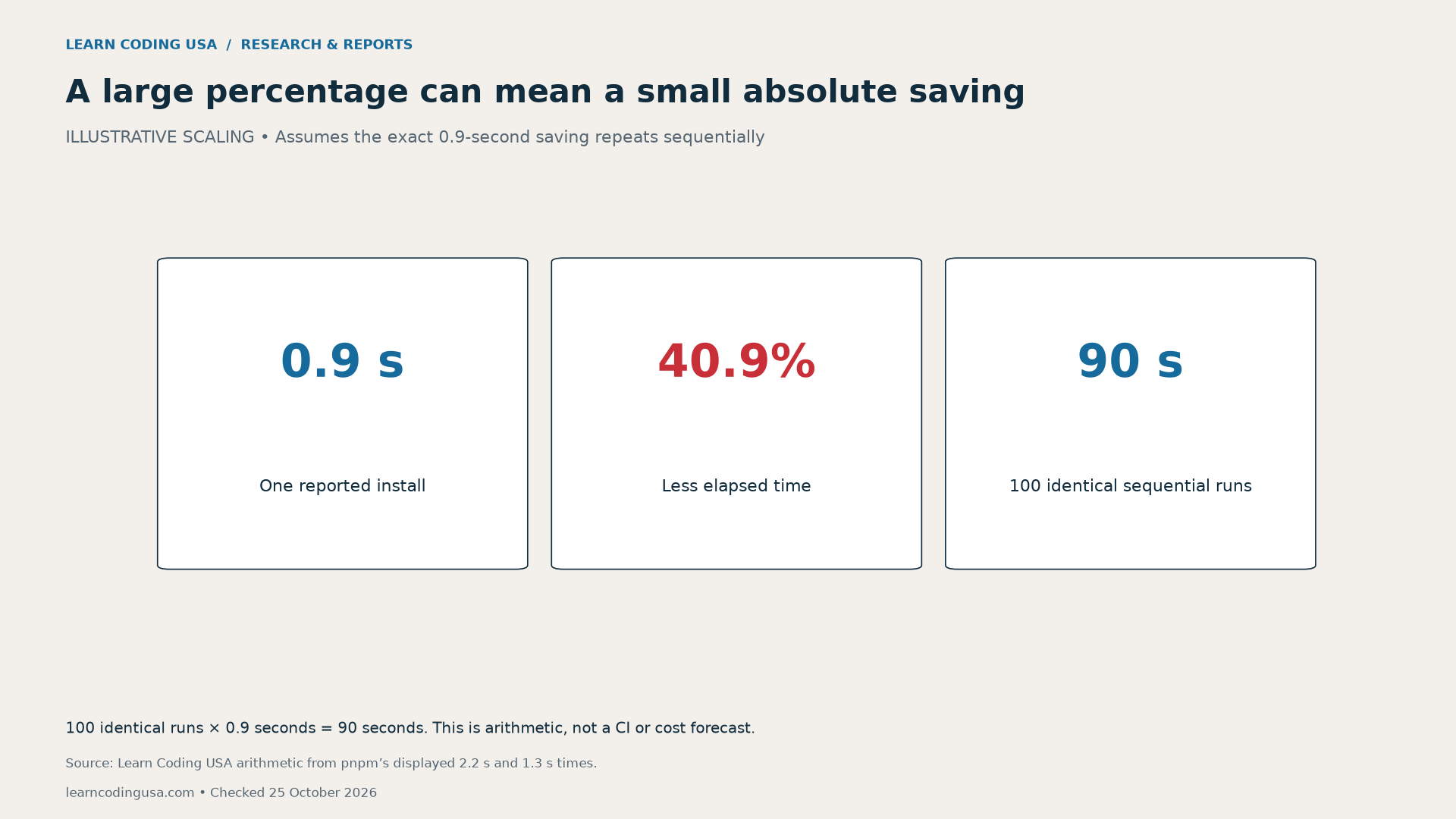
If the same saving repeated over 100 identical sequential installs, the arithmetic total would be 90 seconds. Real pipelines may have parallel jobs, different cache states and other bottlenecks. Measure your actual workflow before estimating a team-wide benefit or attaching a dollar value.
Preserve the reported memory ranges
A separate pnpm example concerns a lockfile update in one 1,800-entry workspace on Linux. The reported peak-memory range moves from 2.6–3.7 GB to 1.8–2.0 GB. These are workload-specific ranges, not confidence intervals. We keep the source’s GB unit and do not silently convert it to MiB.
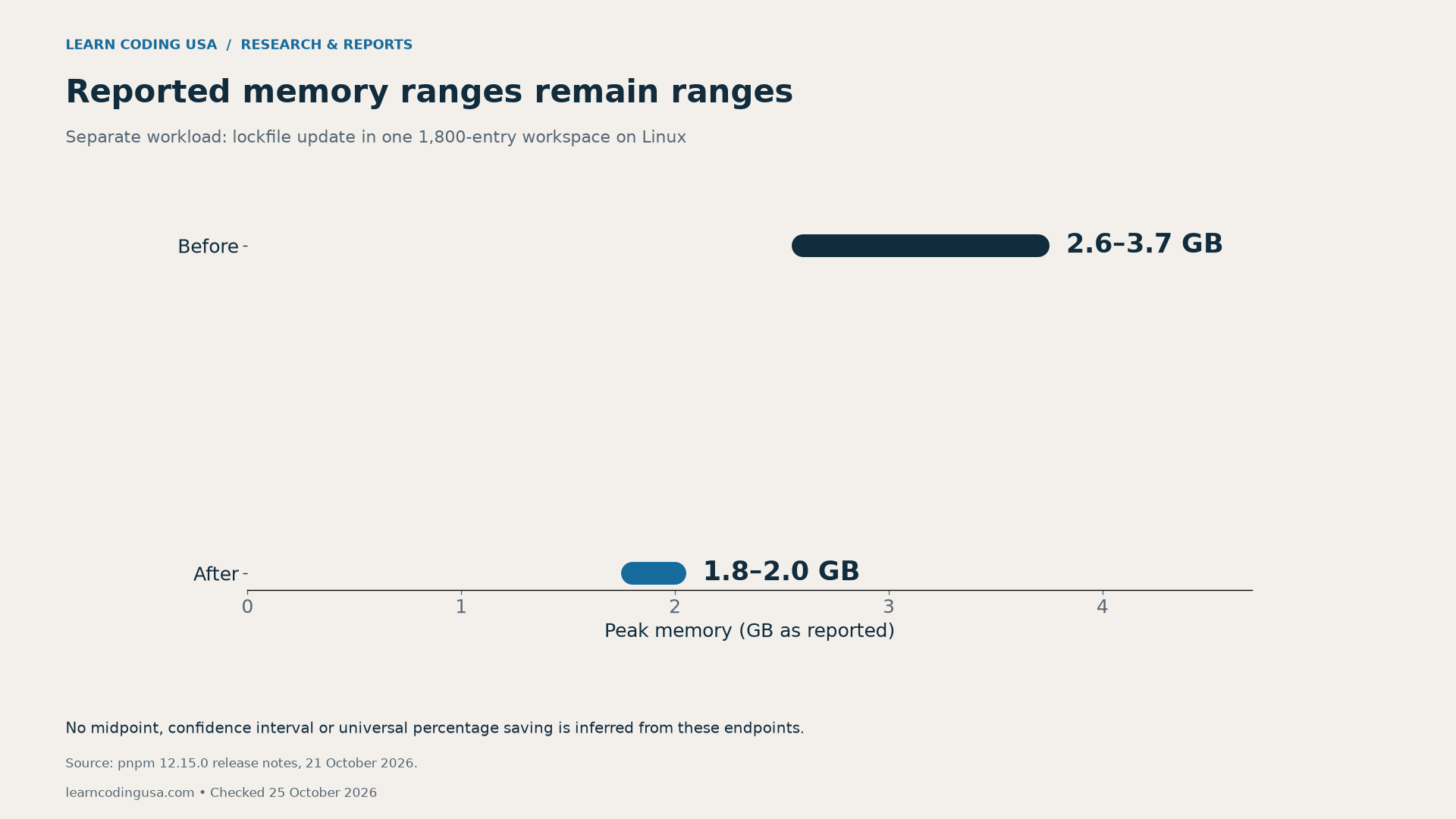
The lower endpoints and upper endpoints are not a matched set of repeated trials available to us. Choosing one convenient pair would conceal that uncertainty. Keep performance evidence separate from security-coverage evidence even when both inform the same upgrade decision.
Build a before-and-after dependency record
Start by naming the repository commit and exact package-manager version. Preserve the baseline manifest and lockfile from the project you are authorized to inspect. Next, record the lockfile’s document structure and the scanner’s observed inventory. Keep repository credentials and private tokens out of a shared worksheet.

The dependency-coverage worksheet (CSV) provides fields for expected and detected package-version pairs, missing entries, scanner version, advisory-data timestamp, functional-test result and unresolved questions. Leave observations blank until inspected. A planned value is not a measured result.
Tech Consulting Tailored to Your Coding Journey
Get expert guidance in coding with a personalized consultation. Receive unique, actionable insights delivered in 1-3 business days.
Get StartedDefine the inventory scope before counting. Direct application dependencies, transitive dependencies and configuration dependencies can have different roles. Compare each scope with a matching baseline instead of treating every package name on the machine as an expected graph entry. Record exact versions so different releases are not merged accidentally.
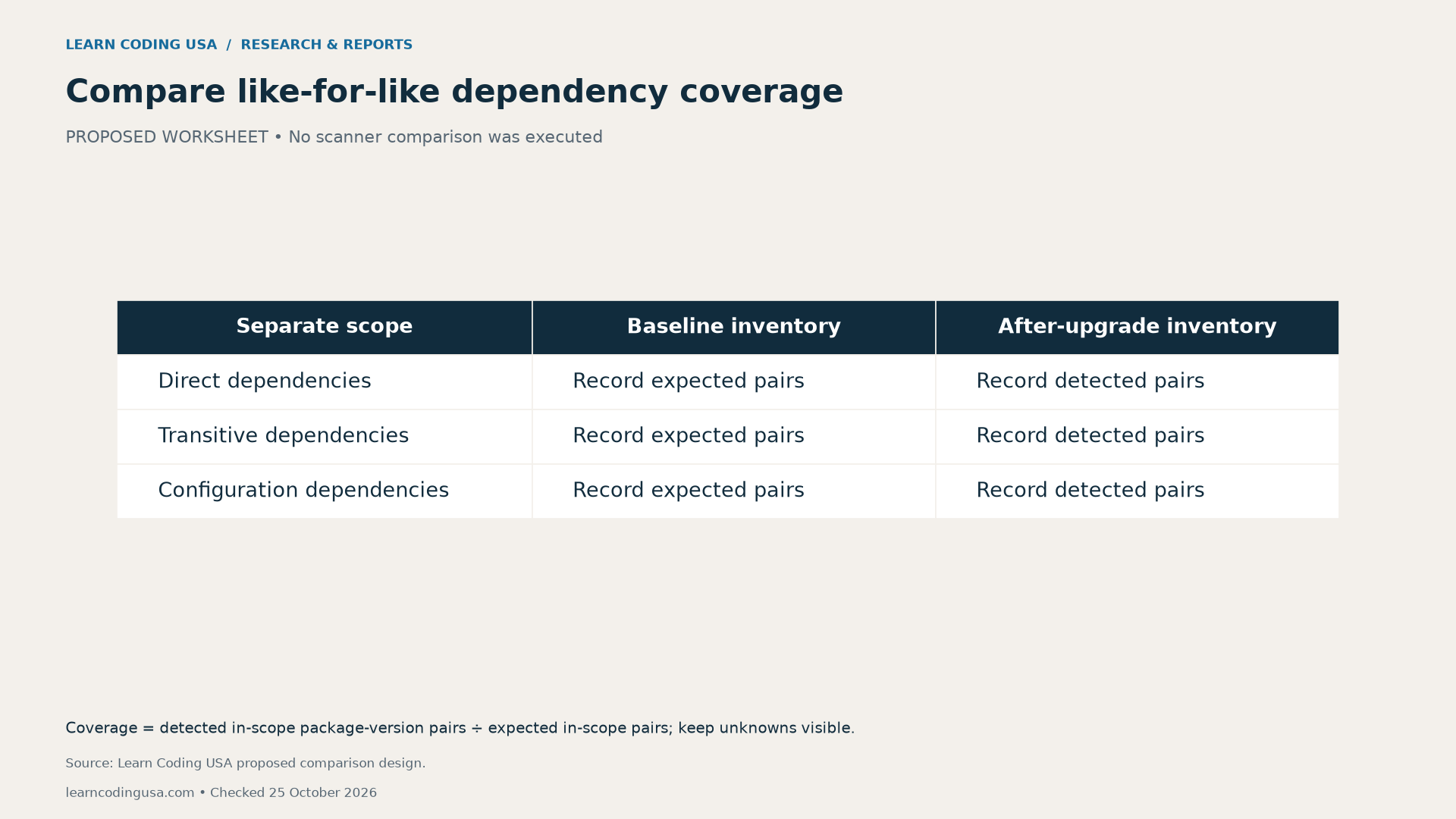
For a defined scope, coverage can be expressed as detected package-version pairs divided by expected pairs. Keep missing and unresolved pairs visible. If the baseline is unknown, report coverage as unknown rather than inventing a percentage. Even full inventory coverage does not prove that the advisory database knows every flaw.
Respond to a coverage gap without hiding it
First, verify that you are comparing the same repository branch, commit and scope. Then preserve the actual evidence and consult current official support guidance. Ask the project maintainer to review a documented gap before accepting the upgrade. Do not disable protections or install vulnerable fixtures merely to make a demonstration more dramatic.
For a classroom comparison, matched static lockfile fixtures could isolate document structure while keeping package versions unchanged. That is a proposed exercise, not a result of this article. Do not execute fixture packages. If a later service update resolves the limitation, repeat the inventory check and date the new finding.
Data, methodology and practical limits
The publisher benchmark values (CSV) retain the displayed numbers and workload conditions. Our chart script calculates the timing difference and illustrative repeated-run total. It does not turn a maintainer benchmark into an independent experiment or estimate how many repositories are affected.
For general review habits, read How to Build Trust in Your Code Beyond AI Suggestions. The Python environment inventory report applies a similar evidence principle to another toolchain. Use the primary documentation for platform-specific instructions.
Suggested citation: Learn Coding USA, “pnpm 12 and Dependabot: Why Working Updates Can Hide Missing Security Alerts,” checked October 25, 2026. Cite GitHub for the dated limitation and pnpm for publisher measurements. Cite this report for the derived arithmetic and reusable acceptance worksheet.


