







A GitHub usage report CSV importer can read the wrong value without losing a single row. Before the announced 1 December 2026 user_id addition, check whether your script identifies fields by header name or by a hard-coded position. Then test what happens when a required field is missing.
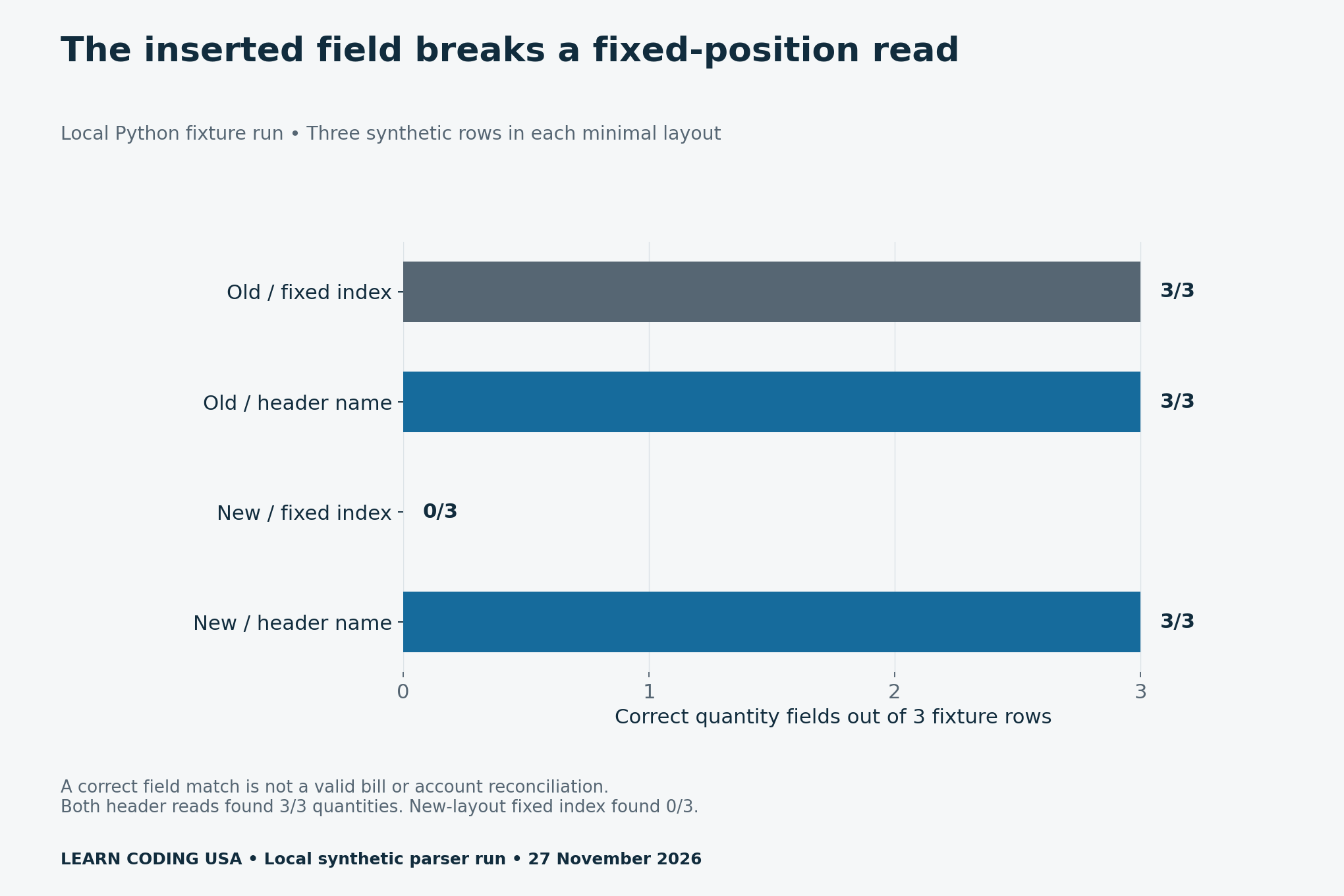
We ran two small local parsers on paired synthetic layouts. A fixed index found the expected quantity in all three old-layout rows and none of the three new-layout rows. A header-based read found it in all three rows of both layouts. These results describe our fixtures, not a GitHub export or a billing audit.
GitHub usage report CSV: what changes on December 1?
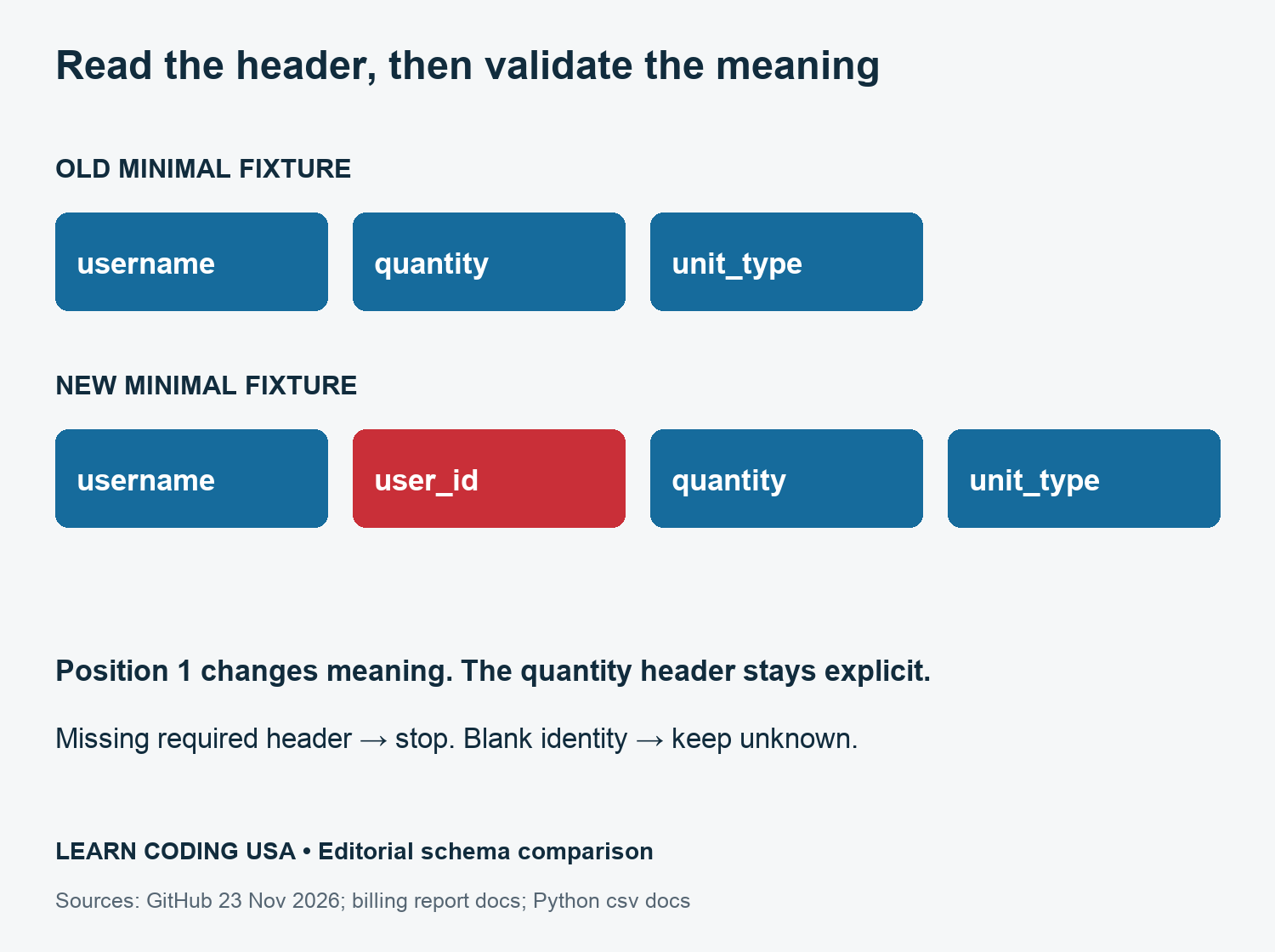
GitHub’s 23 November notice says applicable reports containing username gain an adjacent user_id field from 1 December. Fields after username shift right. The detailed, AI and premium-request usage reports are in scope; the summarized report is unchanged. The notice covers Enterprise Cloud and standalone Team organizations.
The same notice says account-unlinked usage can have an empty ID, while bot usage can have an account ID. It also describes separate rows for different deleted accounts and possible last-decimal rounding differences. These are reasons to retain attribution and precision rules, rather than assuming a layout change alters underlying consumption.
Use a minimal fixture before a full export
Our old fixture has username, quantity and unit_type. The new fixture inserts user_id after username. Each contains the same fictional member, bot and unattributed records, with quantities 10, 5 and 2 in one deliberately fictional unit. These are reduced teaching schemas, not complete or exact production report layouts.
The synthetic IDs are labels, not real GitHub account identifiers. We use them only to make accidental field substitution obvious. Neither fixture contains a price or a currency. Its total of 17 fixture units is an arithmetic check within this one example, not an amount that can be compared across product SKUs.
| Layout / parser | Correct quantity fields | What happened |
|---|---|---|
| Old / fixed index | 3 of 3 | Index 1 happens to be quantity |
| Old / header name | 3 of 3 | quantity selected explicitly |
| New / fixed index | 0 of 3 | Index 1 now reads user_id |
| New / header name | 3 of 3 | quantity still selected explicitly |
Why a header read still needs validation
Python’s csv documentation describes DictReader, which maps row values to field names. That avoids relying on an unchanged position, but it does not decide which headers your application requires. Our separate missing-quantity fixture is deliberately rejected before aggregation.
import csv
with open(path, newline="") as source:
    reader = csv.DictReader(source)
    required = {"username", "quantity", "unit_type"}
    missing = required - set(reader.fieldnames or [])
    if missing:
        raise ValueError(f"Missing required columns: {sorted(missing)}")
    rows = list(reader)
    quantities = [row["quantity"] for row in rows]
This short teaching extract returns strings and checks only a small required-header set. Production code also needs a deliberate response to duplicate headers, malformed rows, unexpected units and invalid numeric values. Choose those rules for the report you actually consume. A header match alone cannot validate every value underneath it.
Keep unknown identity separate from zero usage
In our unattributed row, username and user_id are blank in the new fixture, but quantity is 2. A blank identity does not erase that recorded quantity. Likewise, it does not prove that all unattributed records belong to one person. Preserve the row and its scope instead of inventing an account key.
When joining an authorized real report to other evidence, document the key and missing-value rule. Do not replace every blank ID with a shared numeric zero and then describe the resulting group as one account. Keep identity handling separate from quantity validation so a repair in one area does not silently change the other.
Confirm the report type and units before adapting the code
GitHub’s billing-report reference lists report-specific fields and distinguishes quantity, unit type and billable amounts. It also scopes the detailed report’s current retrieval route separately from summarized REST usage. Check the exact report and export route you have; this example does not assume every endpoint returns the same schema.
Before replacing an importer, retain a small permitted sample and run both paths side by side. Compare record counts, named values, missingness and unit-specific totals. A file loading successfully is only the first gate. Save the observed discrepancy and your decision so another maintainer can reproduce why the importer changed.
Download and reproduce the fixture reads
- Old minimal layout fixture (CSV)
- New minimal layout fixture (CSV)
- Missing required quantity fixture (CSV)
- Observed local parser results (CSV)
For related reasoning, see our Copilot payer-policy model and coverage-denominator guide. Counts, attribution and money need their own definitions before they can support a conclusion.
Method and limitations
Research and local execution: 27 November 2026. Python 3.9.6 read the retained synthetic CSV files with csv.reader and csv.DictReader. Assertions checked all six expected quantity values and the missing-header condition. No private export, API call or account billing data was used. The files are a reproducible schema lesson; they do not certify a production importer.
Suggested citation: Learn Coding USA, “GitHub Usage Report CSV: Fix Imports Before the User ID Column”, 27 November 2026. Retain the synthetic-schema and field-correctness qualifications with the results.
Tech Consulting Tailored to Your Coding Journey
Get expert guidance in coding with a personalized consultation. Receive unique, actionable insights delivered in 1-3 business days.
Get Started


