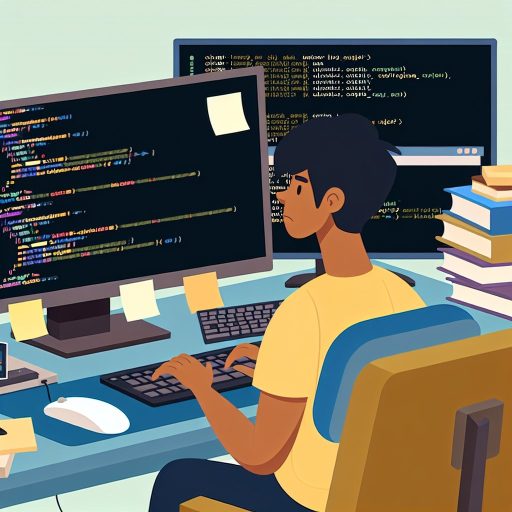
Understanding the Fundamental Coding Tools and Their Roles
Essential Coding Tools Beginners Should Know
Every coding beginner needs to become familiar with essential tools.
These tools streamline the coding process and enhance productivity.
Firstly, a good text editor is crucial for writing clean code.
Popular editors like Visual Studio Code or Sublime Text offer useful features.
Secondly, compilers and interpreters help convert code into executable programs.
They enable you to test and run your code efficiently.
Thirdly, version control systems such as Git track changes and manage project history.
These systems support collaboration and prevent data loss.
Roles of Coding Tools in Development
Coding tools each serve a unique purpose in the software development cycle.
Text editors provide the environment to write and edit code comfortably.
Additionally, debuggers help identify and fix errors in your code.
Automated build tools compile and package your applications quickly.
Furthermore, testing frameworks ensure that your code works as expected.
All these tools work together to create a smooth workflow.
Adopting Tools to Build Strong Foundations
Mastering these basic tools sets a foundation for advanced learning.
Tech Consulting Tailored to Your Coding Journey
Get expert guidance in coding with a personalized consultation. Receive unique, actionable insights delivered in 1-3 business days.
Get StartedFor example, knowing Git commands improves teamwork in software projects.
Moreover, understanding your editor’s shortcuts boosts coding speed.
Practicing debugging early reduces frustration when errors occur.
Consequently, beginners gain confidence and become more independent coders.
How Mastering Basic Tools Accelerates the Learning Curve
Building a Strong Foundation with Essential Tools
Mastering basic tools helps beginners create a solid foundation in coding.
Using tools like code editors and version control enhances efficiency early on.
For instance, learning Git allows students to manage code changes confidently.
Moreover, understanding debugging tools reduces frustration when errors occur.
Consequently, learners spend more time solving problems instead of navigating tools.
Improving Productivity and Confidence
Proficiency with essential tools speeds up daily coding tasks significantly.
Beginners who quickly navigate integrated development environments avoid unnecessary delays.
Also, command line basics empower new coders to operate projects without a graphical interface.
Therefore, they become more self-sufficient and confident in their work.
Many developers, like Rachel Kim from Vertex Solutions, emphasize tool mastery to boost confidence.
Build Your Vision, Perfectly Tailored
Get a custom-built website or application that matches your vision and needs. Stand out from the crowd with a solution designed just for you—professional, scalable, and seamless.
Get StartedFacilitating Collaboration and Learning
Mastering foundational tools improves collaboration with other developers.
Tools such as GitHub enable smooth sharing and reviewing of code.
Additionally, learning to use communication tools streamlines team discussions effectively.
As a result, beginners integrate faster into development teams and projects.
Companies like Nexa Systems value new employees who demonstrate strong tool skills.
Enhancing Problem-Solving Skills Through Practical Use
Basic tools encourage hands-on practice, which strengthens problem-solving abilities.
When students debug code interactively, they learn to identify mistakes quickly.
Subsequently, using terminal commands helps them automate repetitive tasks confidently.
This active engagement with tools deepens understanding beyond theory alone.
For example, Lucas Fernandez from DevPath Institute advocates tool-focused exercises for beginners.
Common Coding Tools Every Beginner Should Know
Code Editors
A code editor helps you write and edit code efficiently.
For instance, Visual Studio Code provides syntax highlighting and extensions.
Moreover, Sublime Text offers a lightweight and customizable experience.
These tools speed up your coding process and reduce errors.
Optimize Your Profile, Get Noticed
Make your resume and LinkedIn stand out to employers with a profile that highlights your technical skills and project experience. Elevate your career with a polished and professional presence.
Get NoticedVersion Control Systems
Version control systems save and manage changes in your code.
Git is the most popular tool developers use worldwide.
It allows you to collaborate smoothly with team members.
Platforms like GitHub or GitLab host your repositories online.
Therefore, beginners quickly learn teamwork and code management.
Debugging Tools
Debuggers help you find and fix mistakes in your programs.
For example, Chrome DevTools assist with web application debugging.
Integrated debuggers in editors like PyCharm simplify troubleshooting.
These tools enhance your understanding of how code executes.
Command Line Interface (CLI)
The command line interface allows direct communication with your computer.
By mastering CLI, you execute commands faster than using a GUI.
Tools such as Bash or PowerShell offer powerful scripting options.
This skill improves control over development workflows and automation.
Package Managers
Package managers help install and update libraries your projects need.
For example, npm manages packages for JavaScript projects easily.
In Python, pip handles downloading and organizing external libraries.
Using package managers keeps your project environment clean and consistent.
Online Learning Platforms
Online platforms provide coding practice and tutorials outside your tools.
Sites like CodecArena and ClearCode Academy offer interactive exercises.
These resources reinforce your tool knowledge and programming skills.
Consequently, you gain practical experience alongside theoretical lessons.
Gain More Insights: Understanding Syntax and Its Role in Writing Code
The Impact of Proficiency in Tools on Coding Efficiency
Understanding the Importance of Basic Tools
Mastering basic coding tools dramatically improves a beginner’s productivity.
Effective use of editors, debuggers, and version control speeds up development.
Familiarity with tools reduces time spent on repetitive tasks.
Coders can focus more on solving problems than on technical obstacles.
Accelerating Learning and Problem Solving
Proficiency in tools helps beginners quickly identify and fix errors.
For example, expert use of debugging tools pinpoints bugs efficiently.
Furthermore, version control systems like Git facilitate collaboration and error tracking.
Consequently, novices learn faster and become more confident in coding tasks.
Enhancing Code Quality and Collaboration
Code editors with syntax highlighting and linting improve readability.
These features help beginners catch mistakes early in the development process.
Additionally, tools enable seamless teamwork by managing code versions effectively.
Proficiency ensures clean, maintainable code and smoother cooperation.
Building a Strong Foundation for Advanced Coding Skills
Good tool habits prepare beginners for complex development environments.
They create a foundation that supports learning advanced frameworks and platforms.
Without tool proficiency, students often struggle when projects grow in scale.
Mastering basic tools empowers new coders to grow confidently and efficiently.
Find Out More: How to Debug as a Beginner and Learn From Your Mistakes
Avoiding Common Pitfalls by Leveraging Basic Tools Effectively
Recognizing Common Challenges in Early Coding
Coding beginners often struggle with debugging their code efficiently.
Many face issues due to unfamiliarity with essential development tools.
Consequently, they spend excessive time fixing simple mistakes.
Moreover, lack of proper tool usage leads to frustration and slower progress.
Therefore, understanding and using basic tools correctly is crucial.
Using Debuggers to Identify Errors Quickly
Debuggers help pinpoint errors without guessing.
For example, Anna Garcia used Visual Studio Code’s built-in debugger effectively.
She traced bugs step-by-step and resolved issues faster.
Similarly, Michael Lang utilized Chrome DevTools to debug JavaScript problems.
Thus, mastering debuggers reduces trial-and-error cycles significantly.
Leveraging Version Control to Prevent Code Loss
Version control systems like Git safeguard code progress consistently.
Without Git, novice programmer Priya Mehta lost hours of work accidentally.
However, after learning Git basics, she tracked changes and reverted mistakes easily.
Additionally, collaborating on projects becomes smoother with version control.
Therefore, beginner coders must practice committing and branching regularly.
Utilizing Code Editors and Linters to Maintain Code Quality
Code editors such as Sublime Text or Atom offer syntax highlighting and auto-completion.
Nathan Chen improved his coding speed by using these features effectively.
Furthermore, linters detect formatting errors and enforce coding standards automatically.
For instance, Emily Roberts integrated ESLint into her JavaScript workflow.
Consequently, she avoided common styling mistakes and enhanced readability.
Implementing Efficient Workflow Practices
Beginners often skip setting up proper workflows, causing repeated errors.
Julia Kim adopted structured workflows involving regular testing and commits.
This approach minimized bugs and ensured steady progress.
Moreover, she used task runners like npm scripts to automate repetitive jobs.
Hence, combining basic tools with disciplined workflows prevents common pitfalls.
Uncover the Details: Why Staying Consistent is Key to Learning Coding
Building a Strong Foundation for Advanced Programming Concepts
Importance of Mastering Basic Tools
Mastering basic coding tools sets the stage for learning complex programming concepts later.
Beginners who invest time in fundamentals develop confidence quickly.
Therefore, they face fewer roadblocks when tackling advanced topics.
Moreover, understanding simple tools improves problem-solving skills drastically.
For instance, proficiency with code editors and debuggers streamlines the development process.
Core Tools Every Beginner Should Know
Every new programmer should learn to use code editors effectively.
Editors such as Visual Studio Code or Sublime Text increase productivity significantly.
Additionally, version control systems like Git help manage code changes smoothly.
Learning to use Git in collaboration environments ensures better teamwork.
Command-line interfaces offer powerful control and automation options.
Thus, beginners should practice basic shell commands early on.
How Basic Tools Support Advanced Learning
Basic tools provide the framework to experiment with advanced programming techniques.
When comfortable with foundational tools, learners can explore frameworks and libraries confidently.
Consequently, they spend less time troubleshooting environment or syntax errors.
In addition, mastering tools enables faster learning of language-specific features.
For example, Sameer Kapoor from CodeCraft observed accelerated progress in students well-versed with basics.
Developing Good Habits with Basic Tools
Using basic tools helps cultivate habits like code organization and documentation skills.
These habits improve code quality and maintainability in the long run.
Furthermore, early adoption of debugging techniques reduces frustration during coding.
Team lead Olivia Martinez emphasizes that good tooling habits lead to professional growth.
These practices build a mindset essential for advanced programming challenges.
Discover More: How to Avoid Overwhelm While Learning to Code

The Relationship Between Tool Mastery and Debugging Skills
How Mastering Tools Enhances Problem-Solving
Mastering basic coding tools significantly improves your problem-solving abilities.
Tools like debuggers, code editors, and version control systems aid in identifying errors efficiently.
Moreover, knowing your tools allows you to isolate issues faster in your code.
As a result, you spend less time guessing and more time fixing actual problems.
Consequently, you develop confidence when hunting down complex bugs.
The Role of Debugging Tools in Learning
Debugging tools help visualize how code executes step-by-step.
They also reveal variable states and program flow in real time.
Therefore, these insights clarify why certain bugs occur during execution.
Understanding this process deepens your knowledge of programming concepts.
Furthermore, it reinforces good coding habits and logical thinking.
Building Efficiency Through Tool Familiarity
When you are familiar with essential tools, you navigate coding environments easily.
This familiarity avoids frustration and reduces interruptions in your workflow.
Besides speed, it enables automated error checking and code suggestions.
Using integrated development environments, or IDEs, accelerates debugging sessions.
Thus, mastering tools directly contributes to writing cleaner, bug-free code.
Practical Advice for Beginners
Start by learning the debugger functions in your chosen IDE, such as Visual Studio Code or PyCharm.
Practice setting breakpoints and stepping through code to understand execution flow.
Use version control tools like Git to track changes and revert when needed.
Explore integrated terminals and command-line utilities for rapid testing.
Regularly applying these tools will build lasting debugging skills and coding discipline.
Enhancing Collaboration Through Familiarity with Essential Tools
Improving Team Communication
Effective communication plays a crucial role in successful coding projects.
Familiarity with common tools helps team members share ideas clearly.
For example, using messaging platforms like Slack or Microsoft Teams streamlines discussions.
Moreover, version control systems such as Git enable effortless code sharing and feedback.
Consequently, developers like Samuel and Elena at Brightwave Solutions easily stay in sync.
Simplifying Code Sharing and Review
Sharing code efficiently improves collaboration quality.
Using platforms like GitHub or GitLab allows smooth code integration and review.
Team members can propose changes, comment inline, and track progress effectively.
For instance, the DevOps team led by Martin uses pull requests to manage updates.
This practice reduces errors and encourages constructive feedback throughout projects.
Promoting Consistent Workflows
Consistent workflows enhance productivity across development teams.
Essential tools standardize coding practices and automate routine tasks.
Continuous integration tools like Jenkins or CircleCI help maintain code quality.
In turn, this avoids conflicts and keeps projects on schedule at Innovatech Labs.
Thus, mastering these tools benefits team cohesion and project success.
Facilitating Remote Collaboration
Remote work demands robust collaboration tools and skills.
Basic tool proficiency enables seamless interaction despite physical distances.
Tools such as Zoom for meetings and Trello for task management support remote teams.
Leaders like Priya coordinate diverse teams effectively using these resources.
Therefore, understanding essential tools breaks down geographical barriers in coding projects.
Adapting to Different Coding Environments Using Basic Tools
Understanding the Variety of Coding Environments
Coding environments range from simple text editors to complex integrated development environments.
Each environment offers unique challenges and benefits for developers.
Therefore, beginners should familiarize themselves with the basic tools available in various setups.
For example, understanding how to use Vim helps in remote server coding scenarios.
Likewise, mastering Git commands promotes effective version control in collaborative projects.
Learning Core Tools for Flexibility
Command-line interfaces remain essential for efficient workflow management.
Beginners should practice commands like navigating directories and managing files with the terminal.
Furthermore, text editors such as Visual Studio Code or Sublime Text provide powerful editing features.
Developers gain adaptability by knowing keyboard shortcuts and search functions thoroughly.
Also, debugging tools in browsers or IDEs help identify and fix errors quickly.
Strategies for Seamless Transitions Between Environments
First, maintain consistency in project structure regardless of the environment.
Additionally, use version control systems to track changes easily across different platforms.
Moreover, configure your tools with portable settings or dotfiles for rapid setup.
Practicing these strategies reduces the learning curve when switching machines or projects.
Advantages Gained from Early Mastery of Basic Tools
Mastery of essentials accelerates problem-solving during coding challenges.
It also increases confidence when exploring new languages or frameworks.
Moreover, employers value developers who know fundamental tools inside and out.
Thus, early proficiency opens more opportunities in diverse development roles.
Recommended Basic Tools to Start With
- Terminal or command prompt for file system navigation
- Text editors like VS Code or Atom for code writing
- Version control systems such as Git for code management
- Debugging tools integrated into browsers or IDEs
- Package managers like npm or pip to handle dependencies
Long-term Benefits of Investing Time in Learning Core Tools
Building a Strong Technical Foundation
Mastering basic coding tools establishes a solid technical base for beginners.
This foundation enables them to understand complex concepts more easily later.
Additionally, it reduces frustration by simplifying common programming tasks.
Therefore, learners progress faster and gain confidence in their abilities.
Enhancing Problem-Solving Skills
Core tools teach essential problem-solving approaches in real coding scenarios.
For instance, using debugging tools helps identify and fix errors effectively.
Moreover, version control systems encourage careful planning and collaboration.
Consequently, programmers become more resourceful when facing difficult challenges.
Increasing Productivity and Efficiency
Experienced users of basic tools complete coding tasks with greater speed.
They avoid repetitive mistakes by utilizing integrated development environments skillfully.
Furthermore, command-line proficiency streamlines workflows across different platforms.
Thus, developers meet deadlines consistently and manage projects more smoothly.
Facilitating Collaboration and Career Growth
Core tools are standard in professional software development environments worldwide.
Proficiency in these tools helps beginners integrate seamlessly into team projects.
As a result, they communicate effectively using shared repositories and issue trackers.
Eventually, mastering core tools opens doors to advanced career opportunities.
Adapting to Evolving Technologies
Understanding fundamental tools prepares coders to learn new technologies faster.
Many modern frameworks and platforms build upon these essential skills.
Also, adaptability increases confidence when tackling unfamiliar programming languages.
Therefore, investing time early benefits long-term growth and continuous learning.
Additional Resources
How to Learn Coding in 2026: Complete Beginner’s Guide (Free)
Introduction to Data Engineering: A Complete Beginner’s Guide | by …